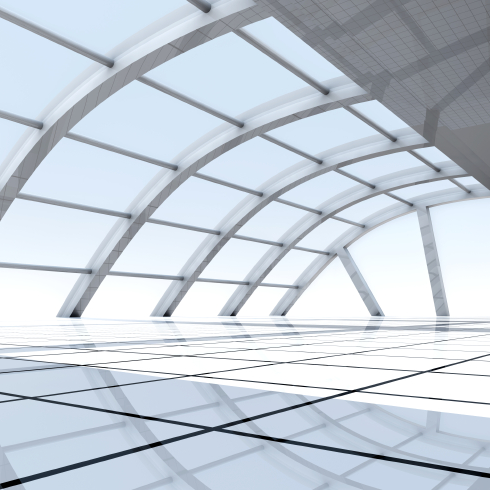
Ray tracing is one of those cool things that computer geeks often play with at some point in their careers. I fiddled with ray-tracing software a number of years ago and decided that (a) it was pretty cool technology, and (b) I was no good at it.
If you’re not into graphics, “ray tracing” is a way of producing computer graphics by mathematically calculating how rays of light would actually bounce around a scene if it were real. That is, instead of a graphic artist drawing the scene on his/her computer, you instead model the scene and let physics take its course. Got a desk over here, a few walls over there, and some sunlight coming through the window? Splendid. Let the ray-tracing software take over and it will tell you how the scene appears.
The advantage of ray tracing is that it produces startlingly realistic images. That’s because it models actual physics, as opposed to relying on the artist’s eye. The downside is that it’s very compute-intensive. The software has to trace each ray of light (hence the name) from its origin (the sun, desk lamps, etc.) out in all directions, looking for solid or semisolid items to bounce off, until such light reaches the imaginary viewer’s eye. Along the way, it has to account for the reflectivity of every possible surface the light beam might encounter. Is there a mirror in the room? How about a shiny metal object? Are there dark curtains that absorb light? How reflective is that polished wooden desk, and what happens when the light bounces off the mirror, onto the metal object, rebounds off the desk, and heads toward the curtains – what would you see then?
As you can imagine, the math gets very complicated very fast. That’s why ray tracing is far from a real-time technique. It’s actually a lot like compiling C code. You create a detailed description of the scene (your “source code”) and then wait around while your ray-tracing software renders (“compiles”) it. When that’s done, you look at the result, mark down all the visual errors (“bugs”), go back and modify the original source code, and re-render. Lather, rinse, repeat.
Ray-tracing bugs can sometime be hilarious, or weirdly surreal. I remember being freaked out when an early rendering I made of a room with a mirror showed reflected objects that I hadn’t put there. (Turns out, I had “parked” some unused objects from a previous project in a corner of the XYZ coordinate space, but they’d unintentionally become aligned with the mirror.)
Ray-traced images can also look strangely synthetic or computer-generated. Although the computer is very good at accurately modeling the billiard-ball bounces of light rays, we’re not very good at modeling the surfaces they intersect. Wood tends to look like hard veneer, soft materials look stiff, and organic objects (i.e., people) are downright creepy. Uncanny accuracy, meet uncanny valley.
Nevertheless, ray tracing can be wonderfully useful, if only it weren’t so slow. That’s where Imagination Technologies comes in. The company that owns the MIPS and PowerVR processor designs has now added ray-tracing hardware to its repertoire. The new “Wizard” generation of PowerVR graphics processors is a superset of the current “Rogue” generation, but with built-in ray tracing.
That’s swell, but effective ray tracing requires more than a hardware assist. The software is nontrivial. Thus, Imagination has teamed up with Unity Technologies, a software company that will be well known to game developers. Unity makes the eponymous graphics engine at the heart of thousands of different PC and console games, and it is used by more than 2.5 million programmers, according to the company. If a game doesn’t use one of the AAA game engines like Unreal 3, it’s probably using Unity.
Between Unity’s software and Imagination’s hardware, ray tracing starts to look a little more viable for mobile or low-cost games. For developers, the compile-time wait to render a scene gets much shorter, so even if you’re creating something with static images and not real-time images, the write-render-debug loops gets a lot shorter.
For gamers equipped with the new PowerVR hardware, ray tracing can take a big step forward. Properly equipped PCs (or eventually, mobile platforms) will be able to render scenes in real time, or close to it. That should be a big draw for Wizard-enabled systems and games.
The first Wizard-enabled processor is the PowerVR GR6500, which is now available for licensing. Indeed, a few unnamed licensees have already started on their chip designs, with first silicon expected in about a year. That timeline should put ray-tracing hardware in customers’ hands in perhaps 18 months or so. Imagination points out that the ray-tracing acceleration is not something you can bolt onto an existing PowerVR processor design; you need to license the new Wizard generation and work from there. Apart from the new ray-tracing extensions, however, the rest of the PowerVR processor is compatible with previous generations, so it’s not as though you’d be starting from scratch.
For all its complexity, ray tracing is in some ways actually simpler than the alternatives. Once a developer defines and models a scene, it never has to be changed. Simply move the virtual viewpoint, and the same scene can be rendered from any possible angle. Different lighting conditions become simple tweaks. No changes to the artwork required. A conventional “painted” or rasterized scene, in contrast, is static and has to be recreated for different viewpoints. Ray tracing is thus more like cinematography and less like painting. And, like professional cinematography, it requires patience, talent, and a lot of expensive equipment. Imagination and Unity are bringing down the cost. All you have to provide is the talent and the patience.
Leave a Reply
You must be logged in to post a comment.